Đầu tiên bạn cần tạo file Docker Compose.
services:
  openclaw-gateway:
    image: antiantiops/openclaw:v2026.2.17
    container_name: openclaw-gateway
    restart: unless-stopped
    ports:
      - "18789:18789"
    volumes:
      - ./openclaw-data:/root/.openclaw
    environment:
      - NODE_ENV=production
    command:
      - "node"
      - "dist/index.js"
      - "gateway"
      - "--bind"
      - "lan"
      - "--allow-unconfigured"

  openclaw-cli:
    image: antiantiops/openclaw:v2026.2.17
    container_name: openclaw-cli
    profiles:
      - tools
    volumes:
      - ./openclaw-data:/root/.openclaw
    environment:
      - NODE_ENV=production
docker compose up -dSau khi run docker compose xong, thì run lệnh:
docker compose run --rm openclaw-cli node dist/index.js setup
docker compose run --rm openclaw-cli node dist/index.js config set gateway.auth.token "my-secret-token"
docker compose run --rm openclaw-cli node dist/index.js config set gateway.controlUi.allowInsecureAuth true
docker compose run --rm openclaw-cli node dist/index.js config set gateway.controlUi.dangerouslyDisableDeviceAuth true
xong restart
docker compose restart openclaw-gateway
Hiện tại em đang sài gemini:
docker compose run --rm openclaw-cli node dist/index.js plugins enable google-gemini-cli-authlogin bằng tài khoản google:
docker compose run --rm openclaw-cli node dist/index.js models auth login --provider google-gemini-cli --set-defaultGiờ lấy đường Link
docker compose run --rm openclaw-cli node dist/index.js dashboard --no-openEdit model Gemini:
  "agents": {
    "defaults": {
      "model": {
        "primary": "google-gemini-cli/gemini-2.5-flash"
      },
      "models": {
        "google-gemini-cli/gemini-2.5-flash": {}
      },
Cung cấp khả năng truy cập internet cho OpenClaw.
services:
  openclaw-gateway:
    image: antiantiops/openclaw:v2026.2.17
    container_name: openclaw-gateway
    restart: unless-stopped
    ports:
      - "18789:18789"
    volumes:
      - ./openclaw-data:/root/.openclaw
    environment:
      - NODE_ENV=production
      - SEARXNG_URL=http://searxng:8080
    command:
      - "node"
      - "dist/index.js"
      - "gateway"
      - "--bind"
      - "lan"
      - "--allow-unconfigured"

  openclaw-cli:
    image: antiantiops/openclaw:v2026.2.17
    container_name: openclaw-cli
    profiles:
      - tools
    volumes:
      - ./openclaw-data:/root/.openclaw
    environment:
      - NODE_ENV=production
  searxng:
    image: searxng/searxng:latest
    container_name: searxng
    ports:
      - "8089:8080"
    volumes:
      - ./searxng:/etc/searxng
Chúng ta cần đưa thêm SearXng vào trong docker compose
Anh truy cập bằng browser:
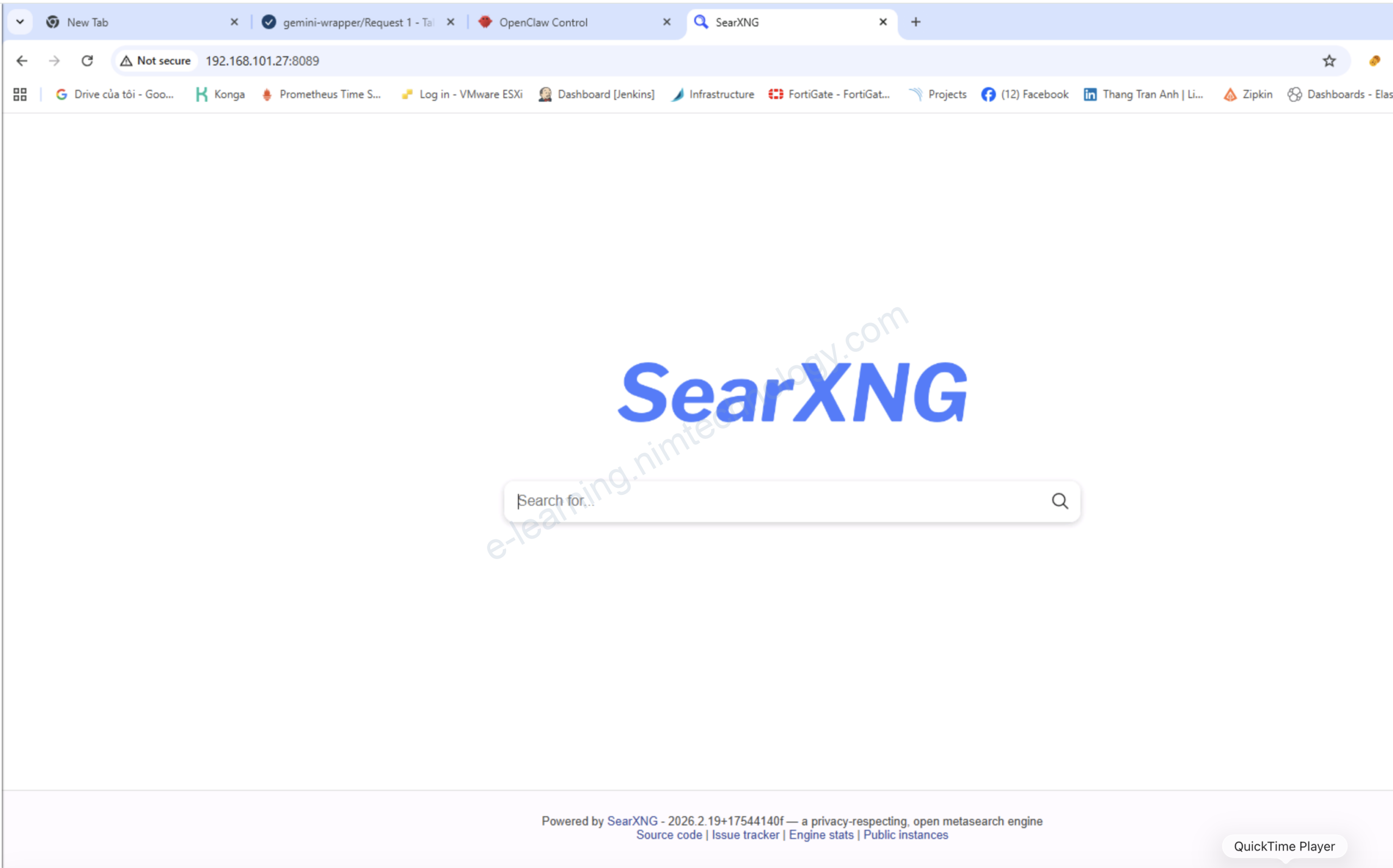
Bạn thực hiện curl thử:
curl -H "Accept: application/json" "http://192.168.101.27:8089/search?q=test&format=json&categories=general"Nếu bị 403 thì chắc là chúng ta đã bị thiếu config Enable JSON format
vi searxng/settings.yml

search:
  # remove format to deny access, use lower case.
  # formats: [html, csv, json, rss]
  formats:
    - html
    - json ### Add it
Bạn quay trợ lại Openclaw để tạo Skill.
mkdir -p openclaw-data/skills/searxng-local/

vi openclaw-data/skills/searxng-local/SKILL.md


---
name: searxng
description: Web search using self-hosted SearXNG at http://searxng:8080
metadata:
  clawdbot:
    config:
      optionalEnv:
        - SEARXNG_URL

---

# SearXNG Web Search

Private web search engine aggregating 70+ sources (Google, Bing, DuckDuckGo, etc.) via your self-hosted SearXNG at `http://searxng:8080`.

## Features
- **Privacy-focused**: No tracking, local-first
- **JSON API**: Fast structured results for OpenClaw
- **Docker-native**: Uses `http://searxng:8080` service name

## Configuration
Already set via environment: `SEARXNG_URL=http://searxng:8080`

Test endpoint:
```bash
curl "http://searxng:8080/search?q=test&format=json&categories=general"
Bạn cần thấy skill hiện lên nhé:
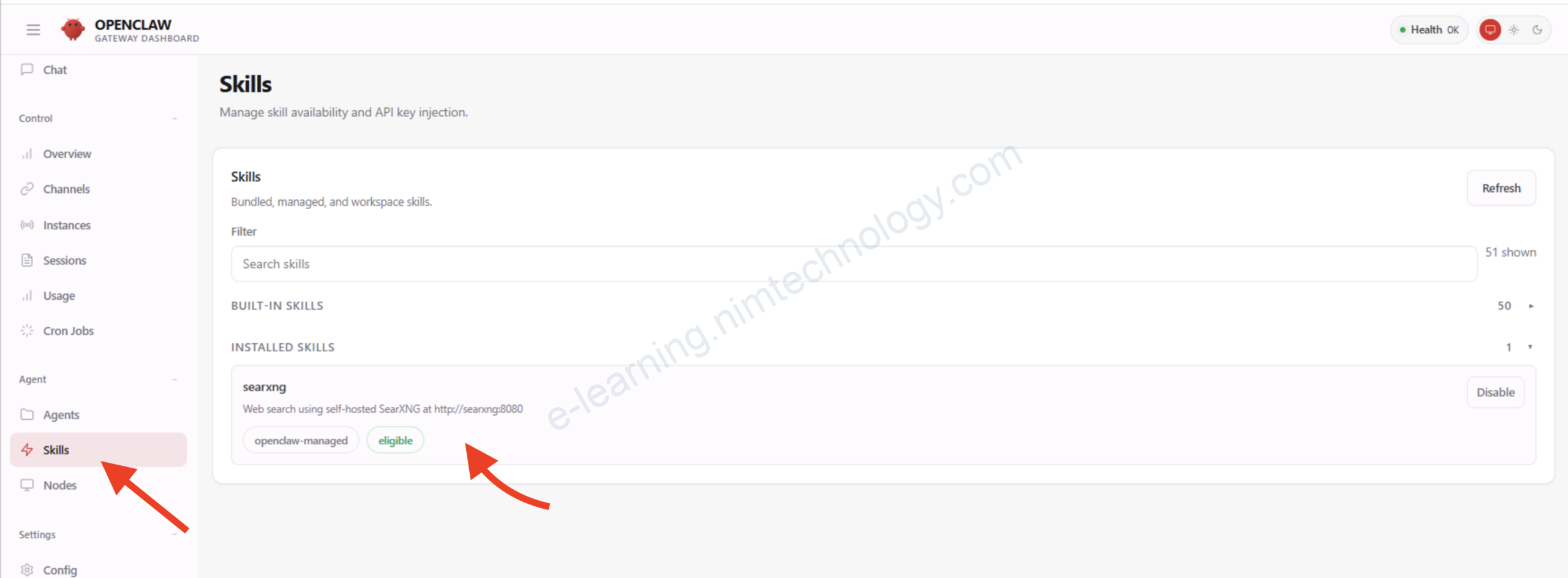
Bạn nhớ ấn Disable xong rồi ấn Enable cho Skill này được allow trong config nhé
Tiếp đến vào khung chat bạn có thể bảo nó đọc skill: searxng
Thực hiện tìm kiếm Giá vàng SJC trên Internet chẳng hạn.
Câu lệnh mở rộng:
Check Models:
docker compose run --rm openclaw-cli node dist/index.js models list --provider google-gemini-cli --all

🦞 OpenClaw 2026.2.17 (unknown) — Your terminal just grew claws—type something and let the bot pinch the busywork.

Model                                      Input      Ctx      Local Auth  Tags
google-gemini-cli/gemini-2.0-flash         text+image 1024k    no    yes
google-gemini-cli/gemini-2.5-flash         text+image 1024k    no    yes
google-gemini-cli/gemini-2.5-pro           text+image 1024k    no    yes   fallback#1,configured
google-gemini-cli/gemini-3-flash-preview   text+image 1024k    no    yes   fallback#2,configured
google-gemini-cli/gemini-3-pro-preview     text+image 1024k    no    yes   default,configure
Login with github copilot:
docker compose run --rm openclaw-cli node dist/index.js models auth login-github-copilotExercise Files
